

WeMap Features
"WeMap" is a lightweight GIS product that integrates rich map downloading capabilities with professional GIS functions. It can download all online maps published in tile format and perform tasks like large map stitching, map reprojection, map annotation, vector download, vector overlay, mini mapping CAD, and data cloud synchronization. It also includes all the functionalities of the "Waterway Notes Universal Map Downloader".
The detailed functions of "WeMap" primarily include: vector map drawing, vector data cloud synchronization, download of high-definition satellite imagery, viewing image capture dates, download of high-definition historical imagery, download of 12.5-meter elevation data, extraction of elevation contours, download of vector Points of Interest (POI), download of global vector road networks, download of nationwide building footprints, image and vector projection conversion, export of unrestricted large images (can be exported in blocks), export of tiles (with reprojection), export of map offline packages, vector point annotation, vector path drawing, vector polygonal outline drawing, download of national standard sheet maps, instant viewing of download results, download of terrain rendering maps, download of 10-meter contour raster maps, access to rich and diverse map resources, online viewing of virtual 3D terrain, perfect overlay of vector data and imagery in CAD, perfect overlay of vector data and imagery in ArcMap, support for image data clipping and background transparency, support for elevation data clipping and background transparency, and other powerful features. These will be explained separately below.
(1) Cloud-Synchronized Location Marking
This feature is suitable for individual users to mark locations on their mobile devices and sync them to the cloud, allowing them to leave traces of their daily life at visited places.
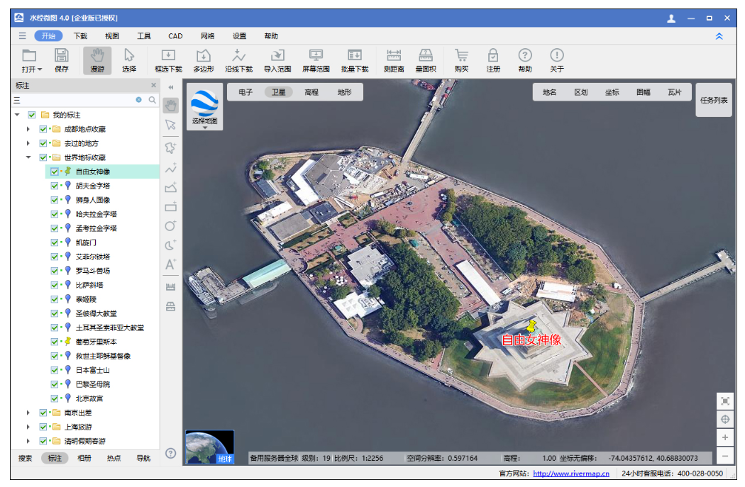
In the WeMap PC client, location markers can be synced to the cloud, and cloud data can also be synced back to the PC client for adding, deleting, and modifying.
In the WeMap mobile APP, location markers created on the phone can be synced to the cloud, and cloud data can also be synced back to the mobile APP for adding, deleting, and modifying.
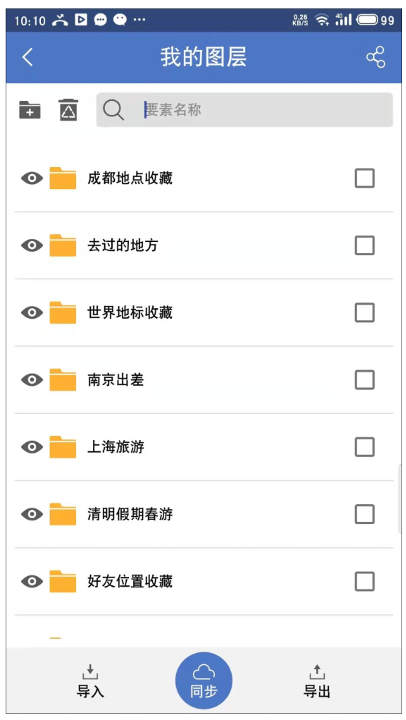
Layers Synced with PC Client
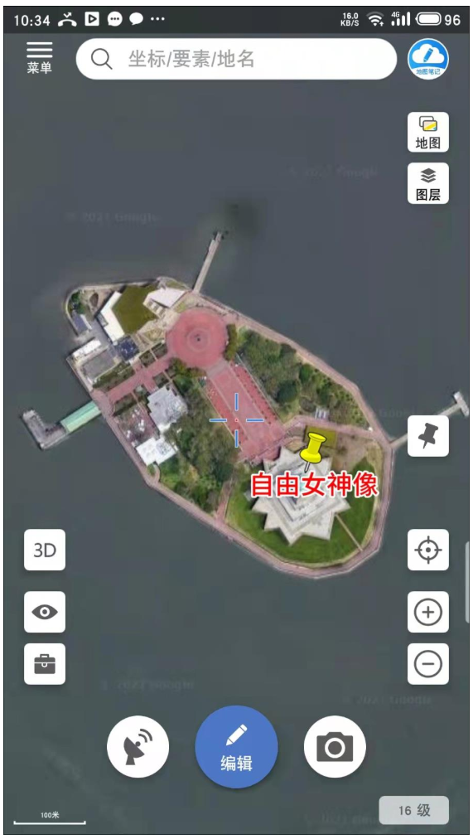
Markers Synced with PC Client
(2) CAD Mapping
Clicking the "CAD Drawing" function in the WeMap PC client launches the WeMap CAD mapping tool.

Opening WeMap Mini CAD
In WeMap CAD, global satellite maps can be loaded online, solving the issues of lag when loading large images in traditional CAD or the inability to load overly large images.
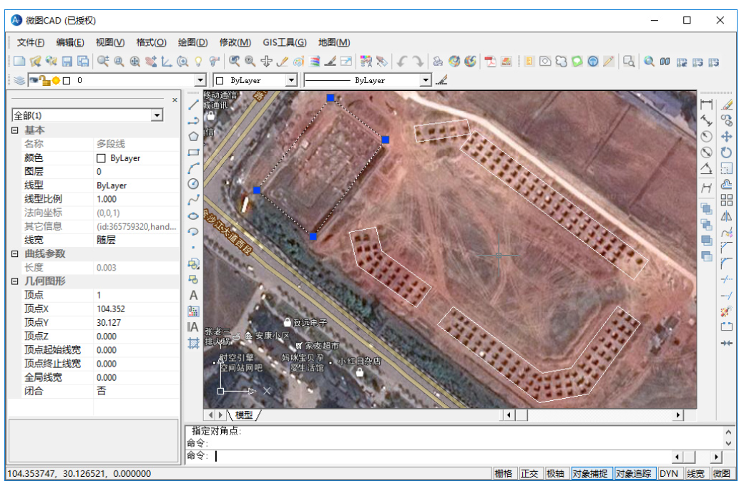
WeMap Mini CAD
(3) High-Definition Satellite Imagery Download
The maximum image resolution can reach 0.25 meters, making even ships by the river clearly visible, as shown below.
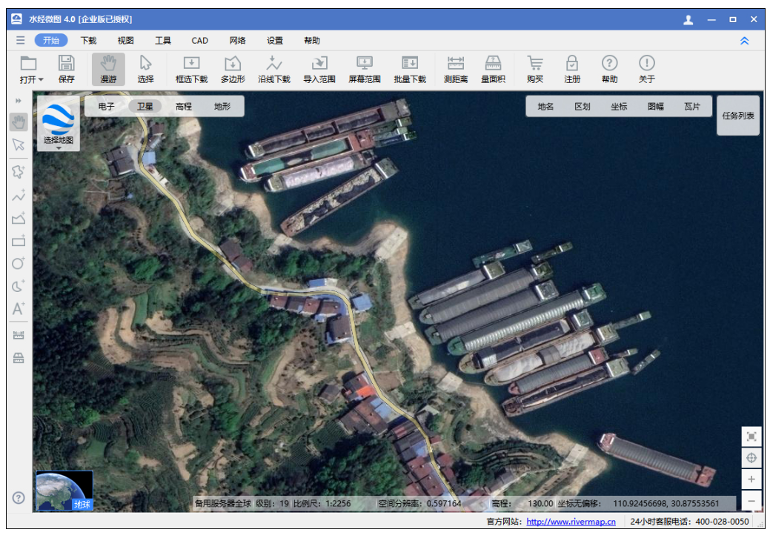
High-Definition Imagery
(4) View Image Capture Date
Checking "Capture Time" allows viewing the capture date of the Earth imagery, as shown below.

(5) High-Definition Historical Imagery Download
Selecting "Historical Imagery" allows viewing historical imagery maps of the Earth. The historical image from February 17, 2007, showing the world-renowned Bird's Nest construction progress, is shown below.
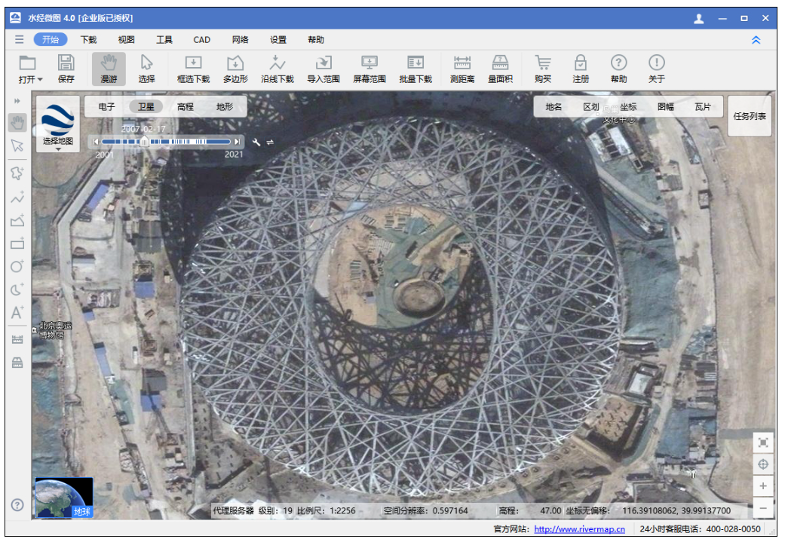
Historical Image
(6) Original Elevation Data Download
Elevation renderings can be viewed online. The downloaded elevation data can be opened in professional software to generate professional renderings, extract contours, or perform slope analysis, as shown below.
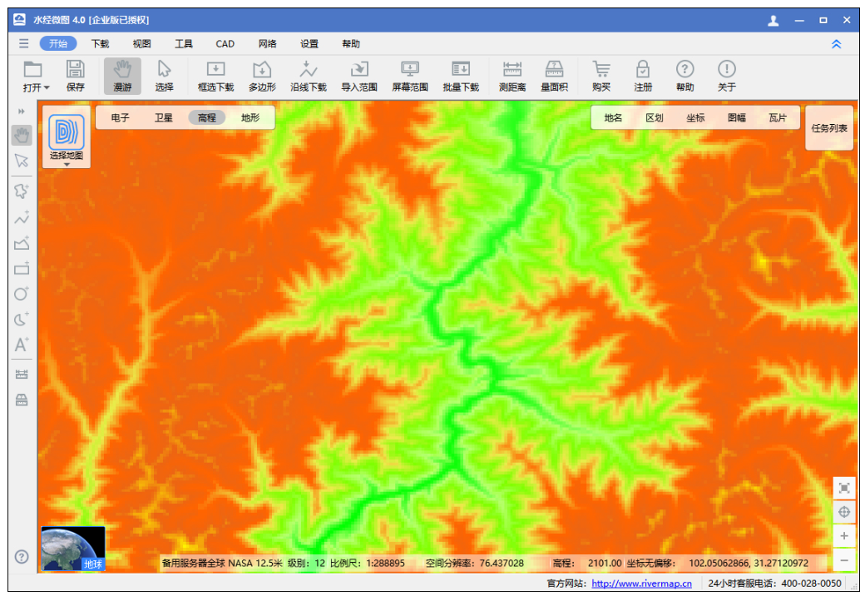
(7) Extraction of Elevation Contours
Downloaded elevation data can be opened in Global Mapper to extract and generate contour lines. The generated contours can then be exported to dozens of vector data formats like SHP, DXF, TAB, or KML. The result is shown below.
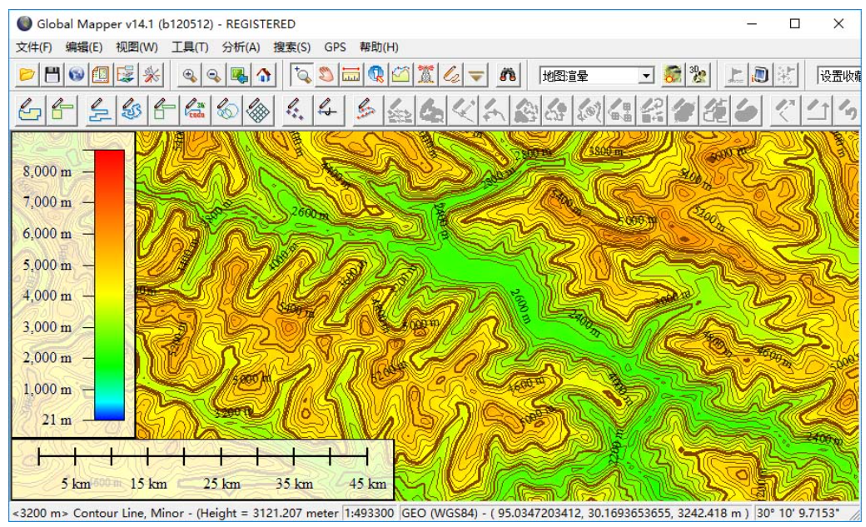
Contour Lines
(8) Vector Point of Interest (POI) Download
Vector Points of Interest (POI) data can be downloaded, such as: hotels, restaurants, catering, public facilities, administrative landmarks, gas stations, transportation stations, financial and securities institutions, scientific research and educational institutions, tourist attractions, enterprises and institutions, place names, shopping malls and supermarkets, office buildings, leisure and entertainment venues, postal and telecommunications services, ATM locations, and base station sites, etc.
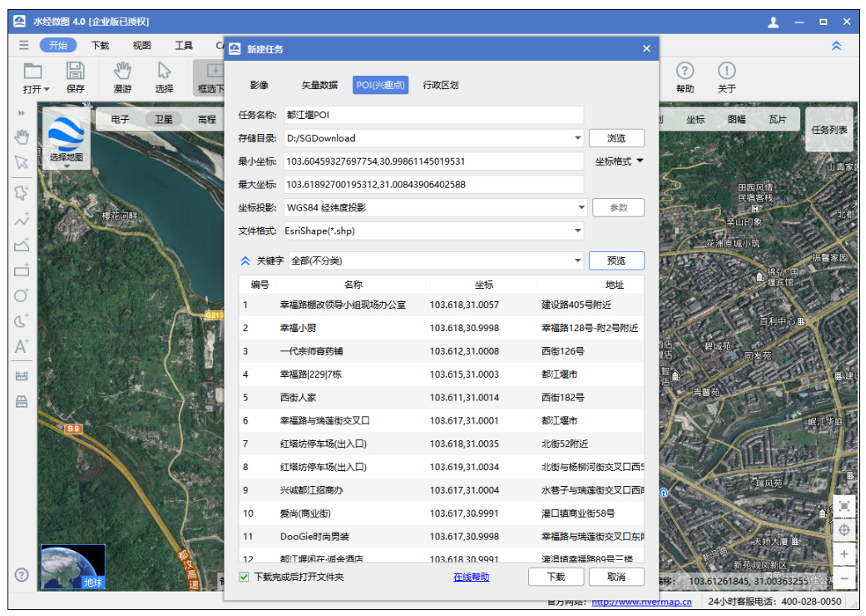
POI download
(9) Global Vector Road Network Download
The global vector road network can be downloaded and the data can be exported to vector files such as SHP, DXF, TAB, or KML, as shown below.

Global Road Network Download
(10) Nationwide Building Footprint Download
Vector building data for major and medium-sized cities nationwide can be downloaded and exported to vector files such as SHP, DXF, TAB, or KML, as shown below.
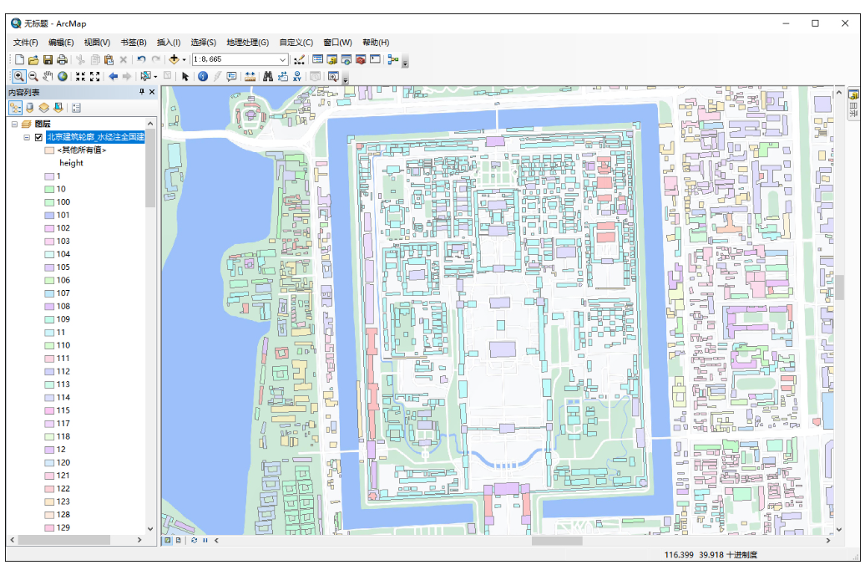
Building Footprints
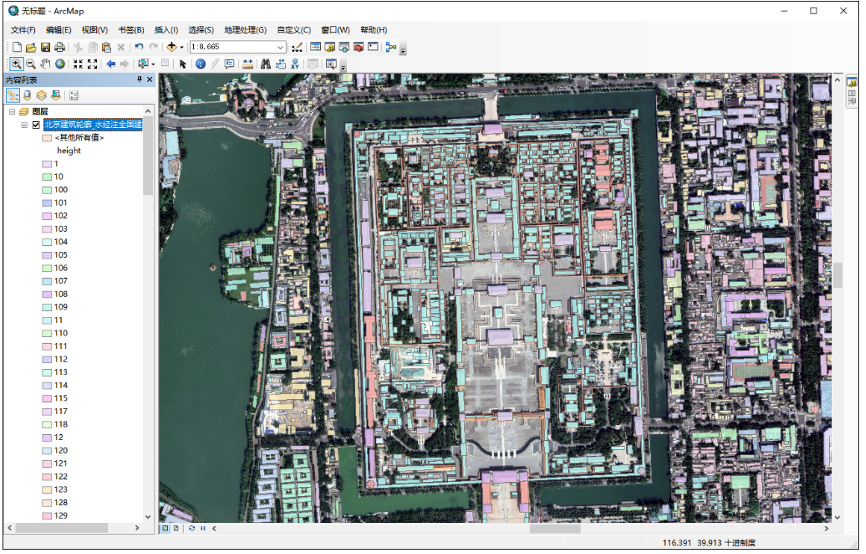
Buildings Overlaid on Image
(11) Image and Vector Projection Conversion
Supports importing and exporting vector data in multiple projections, including WGS84 Geographic (Lat/Lon), WGS84 Web Mercator, Beijing 54 Gauss-Kruger, Xi'an 80 Gauss-Kruger, CGCS2000 Gauss-Kruger, GCJ02 Geographic (Lat/Lon), GCJ02 Web Mercator, BD09 Geographic (Lat/Lon), and BD09 Web Mercator, etc.
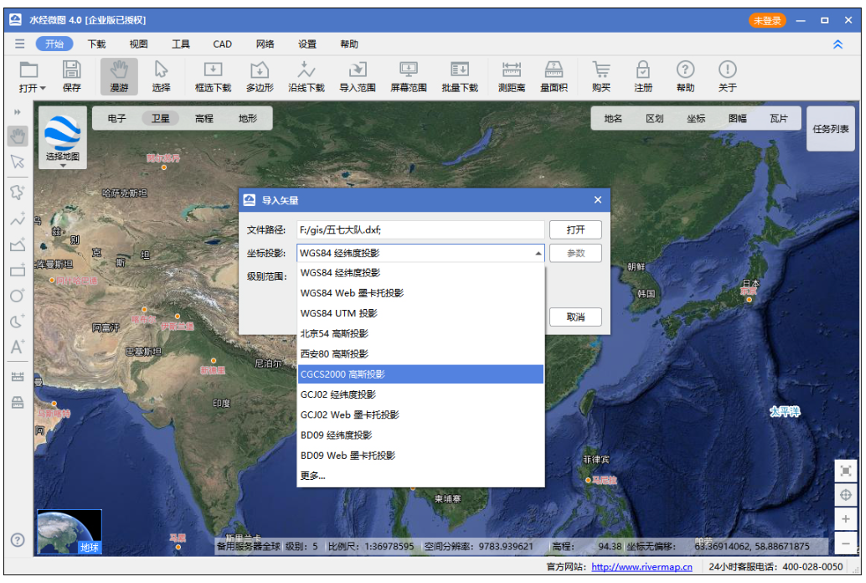
Coordinate Projection
(12) Export Large Maps, Tiles, and Offline Packages
Downloaded satellite imagery or raster electronic maps can be exported as TIF, PNG, JPG, or BMP large images with projection conversion. They can also be exported as original TMS tiles, WorldWind tiles, Waterway Notes tiles, and versatile custom tiles. Additionally, offline packages such as MBTile, OruxMaps, GeoPackage, and SQLiteDB can be exported.
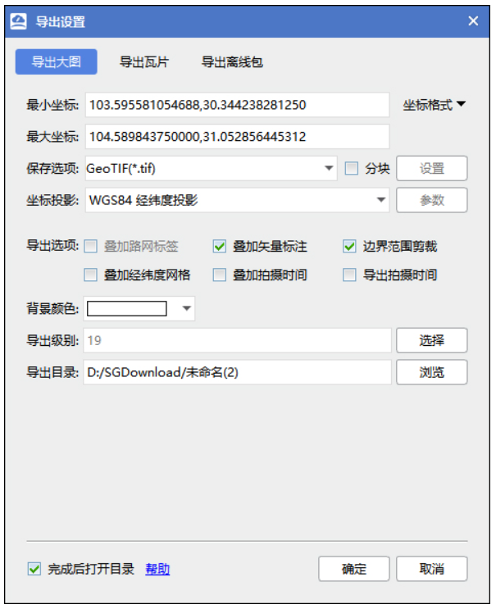
Export Large Map
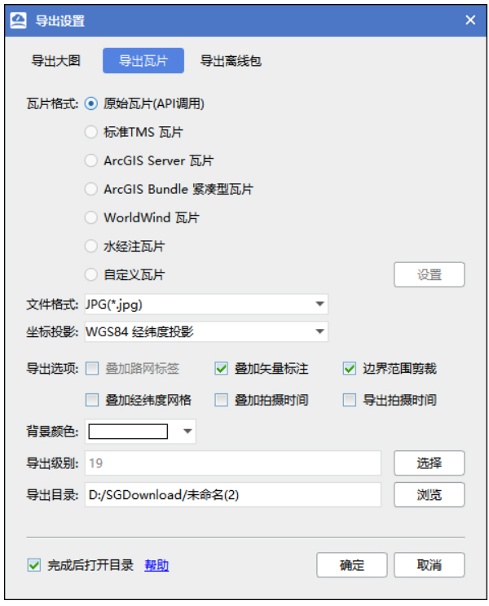
Export Tiles
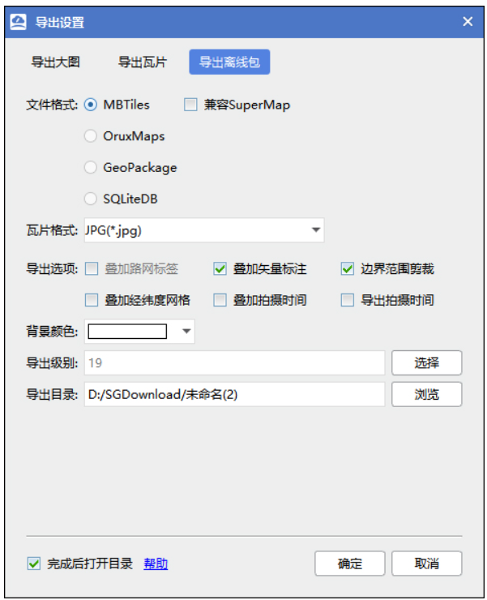
Export Offline Package
(13) National Standard Sheet Map Download
Supports the download of Chinese National Standard sheet maps at scales including 1:1,000,000, 1:500,000, 1:250,000, 1:100,000, 1:50,000, 1:25,000, 1:10,000, and 1:5,000, as shown below.
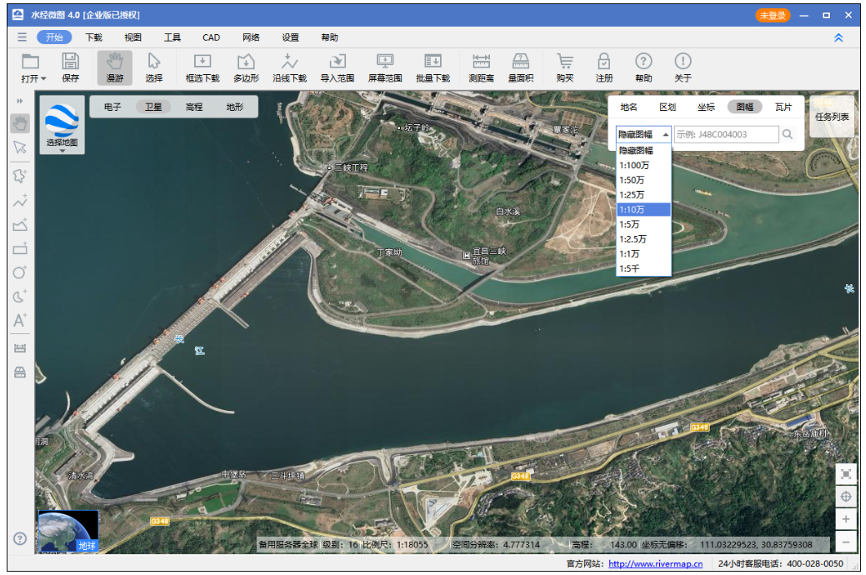
Sheet Map Download
(14) Instant Viewing of Download Results
Supports instant viewing of download results and status during the download process, and supports batch modification of export task parameters and batch export tasks, as shown below.
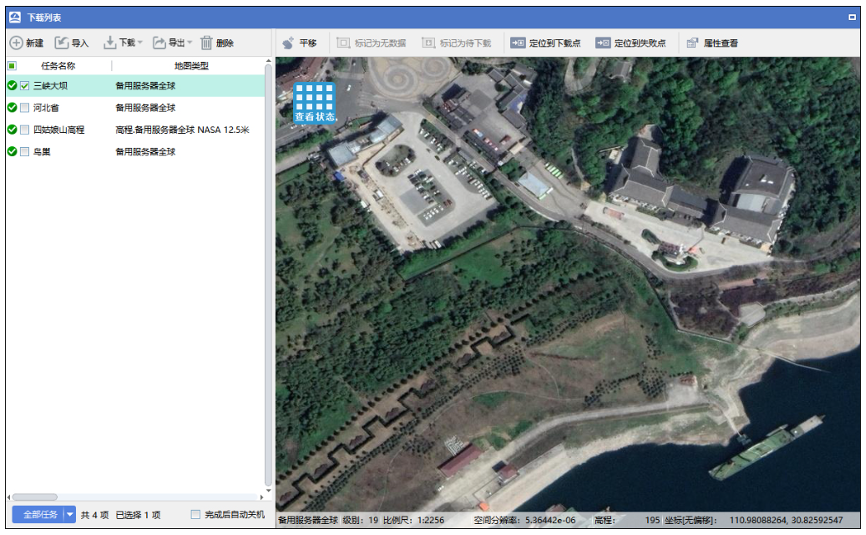
Real-time View of Download Results
(15) Terrain Rendering Map Download
Supports downloading terrain rendering maps, as shown below.
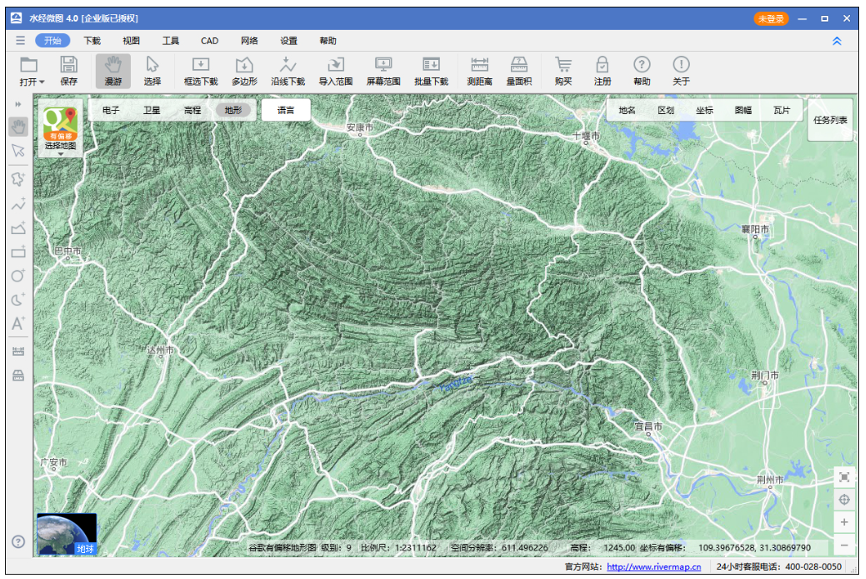
Terrain
At higher levels, it displays terrain with contour lines.
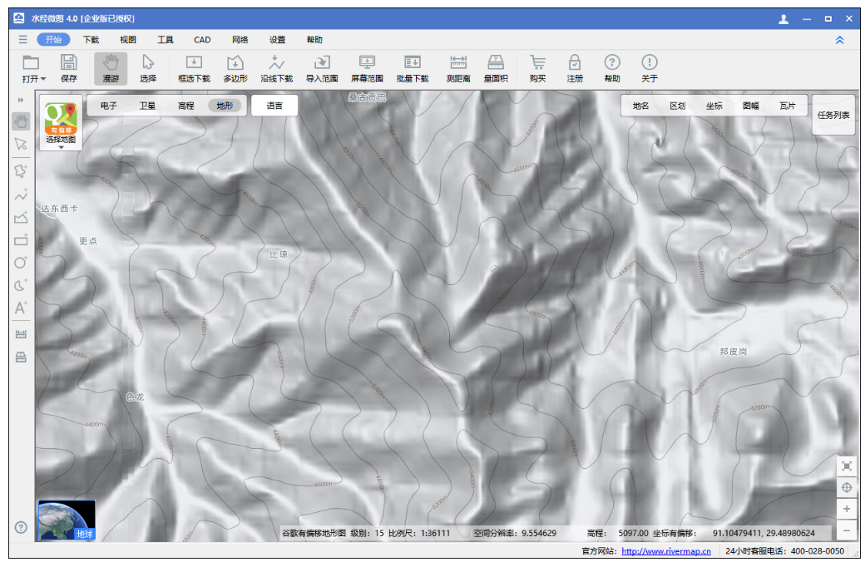
Terrain Contours
(16) Rich and Diverse Map Resources
Supports multiple map types and allows custom URL download addresses to download any map data published in tile format, as shown below.
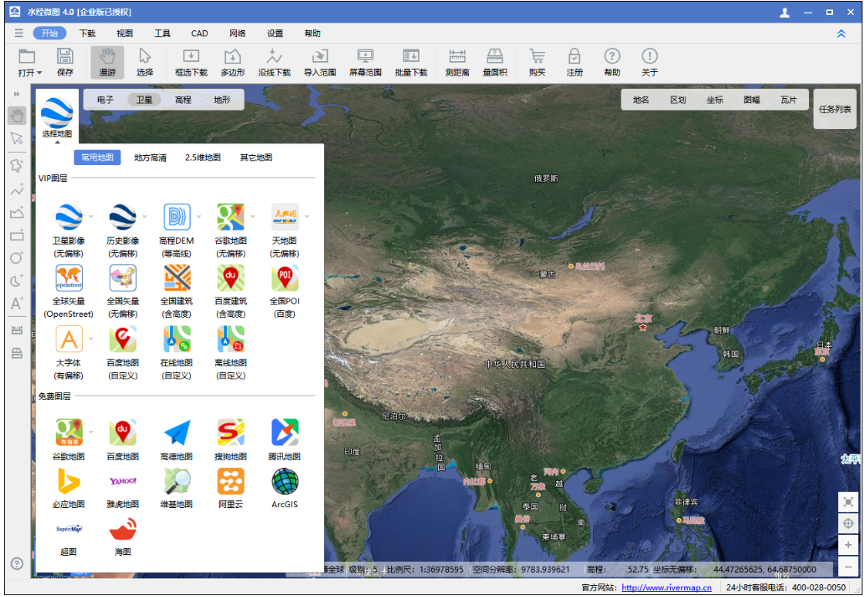
Diverse Map Types
(17) Perfect Overlay of Vector Data and Imagery in CAD
After projection conversion, the downloaded imagery data can perfectly overlay with vector data in the Xi'an 80 coordinate system, as shown below.
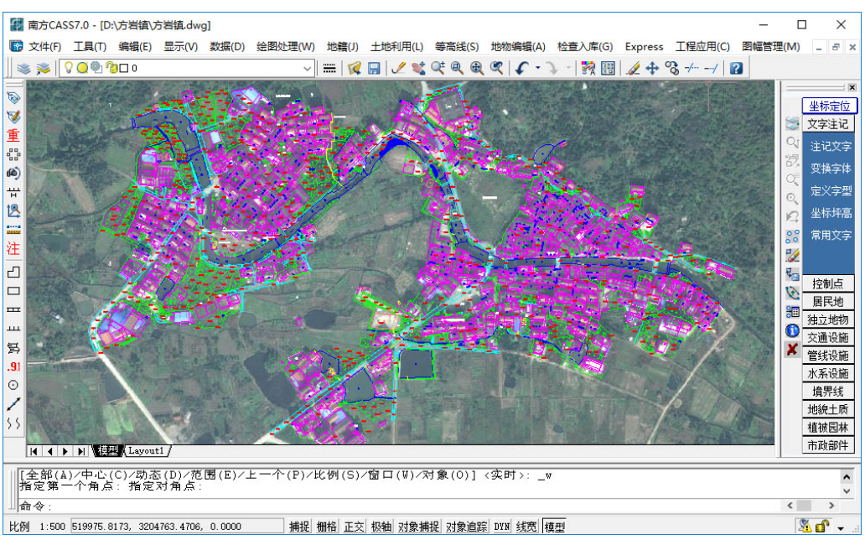
Vector and Imagery Overlay in CAD
(18) Perfect Overlay of Vector Data and Imagery in ArcMap
After projection conversion, the downloaded imagery data can perfectly overlay with vector data in the Beijing 54 coordinate system, as shown below.
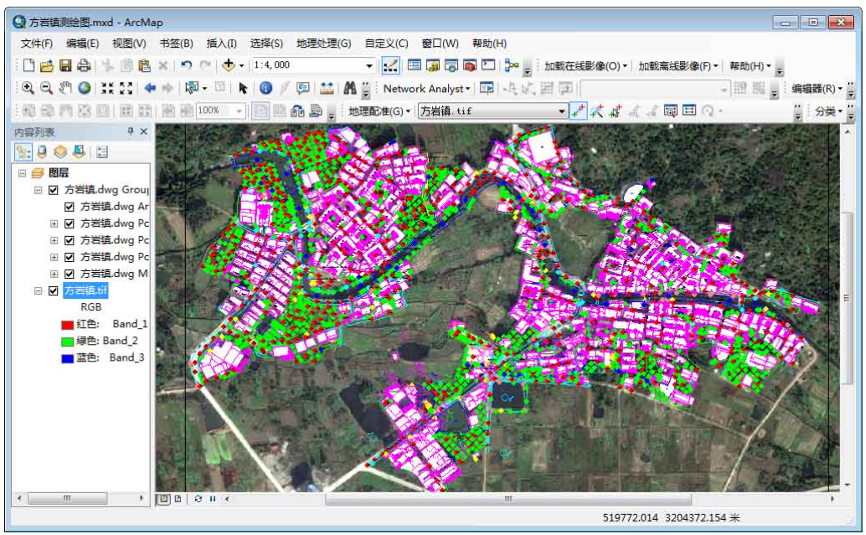
Vector and Imagery Overlay in ArcMap
(19) Support for Image Data Clipping and Background Transparency
Allows downloading satellite imagery by administrative boundaries, performing polygonal clipping according to those boundaries, and making the background transparent, as shown below.
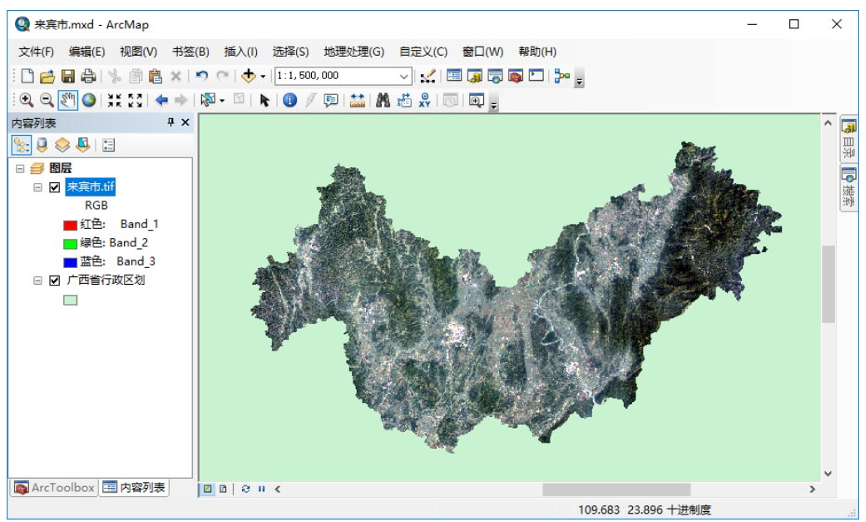
Satellite Imagery Clipping
(20) Support for Elevation Data Clipping and Background Transparency
Allows downloading elevation data by administrative boundaries, performing polygonal clipping according to those boundaries, and making the background transparent, as shown below.
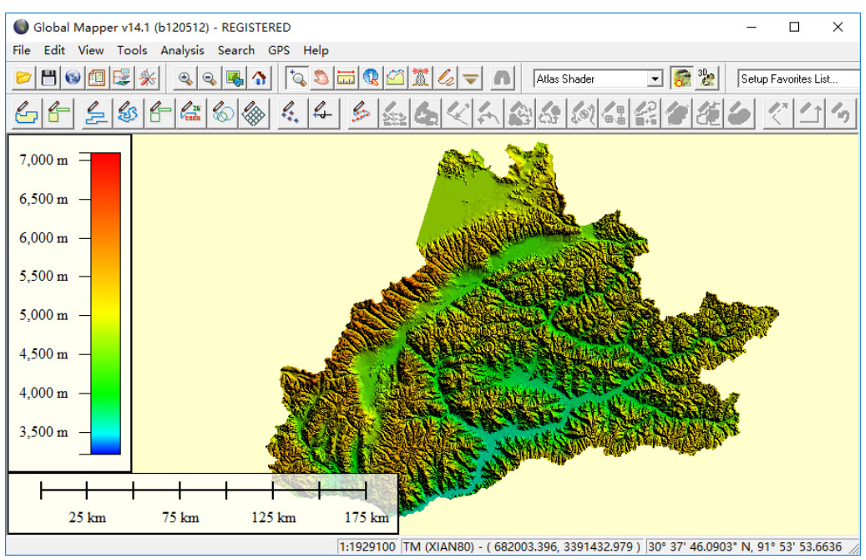
Elevation DEM Clipping
(21) Downloaded Elevation Data Can Display 3D Terrain
The downloaded elevation data can directly generate 3D terrain in Global Mapper, as shown below.
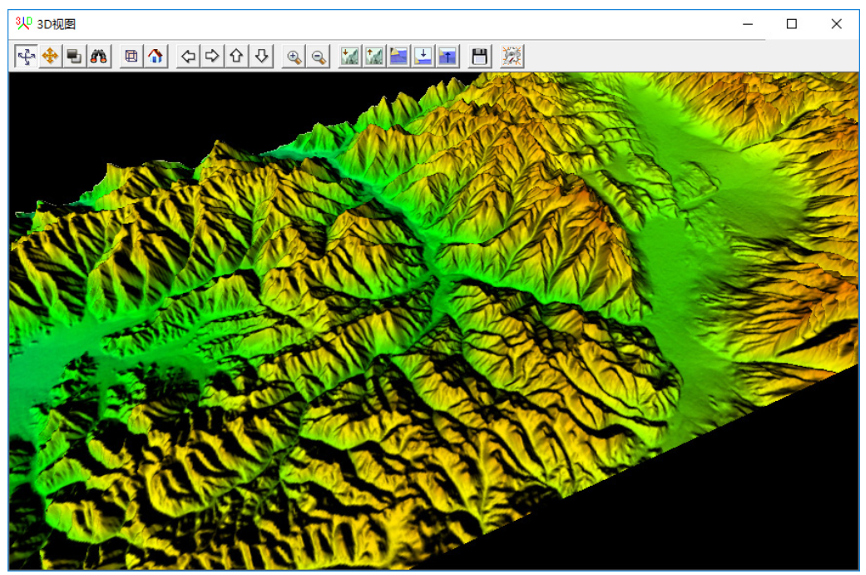
3D Terrain Rendering
(22) Downloaded Imagery and Elevation Data Can Build 3D Scenes
After downloading satellite imagery and elevation data, offline 3D scenes can be built in ArcScene, as shown below.
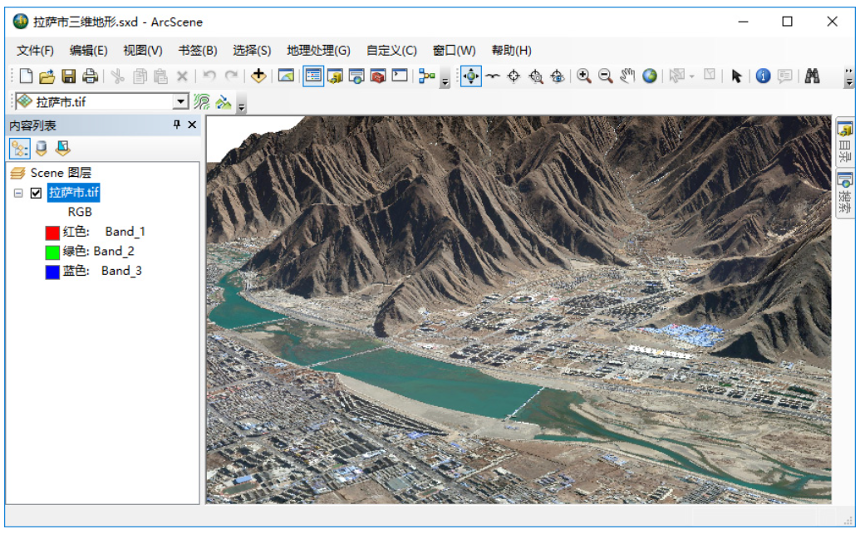
3D Terrain Generation